Classic Professional Resume Template
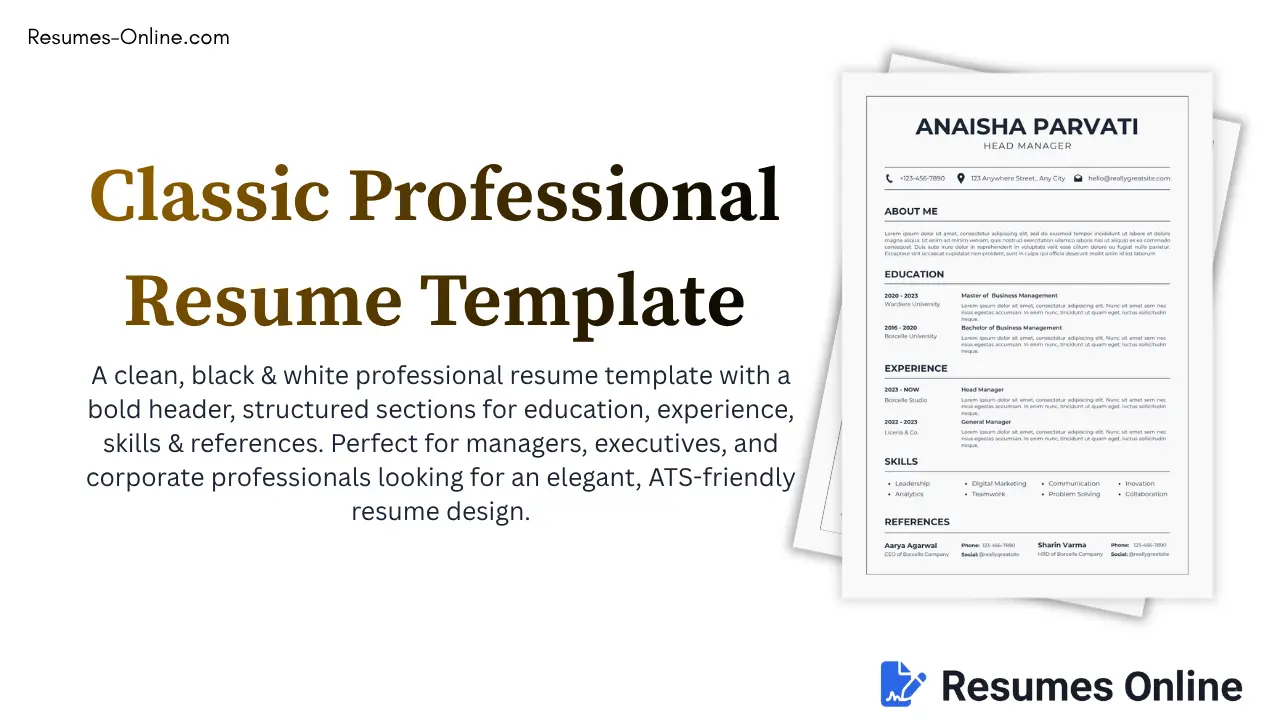
This Classic Professional Resume Template features a clean black-and-white theme that is both classy and premium, and it is fully compatible with Applicant Tracking Systems (ATS).
Top Recommendation: It offers the look and advantages of a "Classic Executive Resume" or "Minimalist Manager Template," as its design reflects both simplicity and professionalism.
Who Should Use This Template, and For Whom Is It Perfect?
| Profession Type | Why Is It Suitable? |
|---|---|
| Managers & Team Leads | A clean structure and simple design highlight leadership skills. |
| Corporate Professionals | A formal black-and-white theme is perfect and absolutely classic for a corporate environment. |
| MBA Graduates | The education section is detailed—degrees, universities, and dates are clearly visible and can be filled in as per your requirements. |
| HR / Operations Roles | The references section is already built-in and can be edited and customized, which is essential for corporate jobs. |
| Senior Executives / General Managers | A bold header presents the name with authority and confidence, and allows you to showcase your tagline as well. |
| Freshers with Strong Academics | An education-first layout works well for freshers too and is a good option. |
Best Use Case
For mid-level to senior-level management positions such as Head Manager, General Manager, Team Lead, Operations Head, Business Analyst, and similar professional roles.
Classic Professional Resume Template Key Features
You will find all these features in this classic professional template, as follows:
Clean Black & White Theme
Print-friendly, ATS-compatible, and simple.
Bold Header Name
Immediately draws the recruiter's attention to your name.
Structured Contact Bar
Displays phone, address, and email in a single line, accompanied by icons.
Two-Column Timeline Layout
Dates and institutions or companies appear on one side, while descriptions appear on the other. This creates an attractive design that is easy to scan.
Dedicated References Section
A feature often missing from other templates but included here, allowing you to customize it as needed.
4-Column Skills Grid
Displays a wide range of skills compactly. You can easily manage your skills by adding or removing them.
A4 Print-Ready Format
Perfectly sized for direct PDF export or printing.
Fully Responsive
Looks great on mobile previews and includes zoom-in and zoom-out functionality.
How to Use a Classic Professional Resume Template for Your Resume
Follow the steps below to customize the template and create your final professional resume.
1. Fill in Personal Info
Enter your full name and designation. Use your current or target job title, for example, "Head Manager." Update your phone number, email, and address.
2. Write an "About Me" Section
Replace the placeholder text with a 2–3 line professional summary covering your strengths, years of experience, and career goals.
3. Education Section
Enter your degree, university or college name, and the years attended. List achievements or relevant coursework in 1–2 lines under each degree.
4. Experience Section
Enter the job title, company name, and duration of employment. Write a 2–3 line description instead of just bullet points. Mention your responsibilities and achievements. Including numbers or measurable results can make a strong impression, for example: "Increased team efficiency by 20%."
5. Skills Section
Select 8–12 relevant skills that match the job description, such as:
- Leadership
- Communication
- Microsoft Excel
- Project Management
6. References Section
Include 2 professional references. Provide their name, designation, and contact details such as phone number or LinkedIn profile.
7. Final Check
- Check for spelling and grammar errors.
- Maintain a consistent date format, for example: Jan 2022 - Present.
- Export the document as a PDF and review the print preview before finalizing.