Modern Executive Resume Template
Frequently, individuals err by instructing AI to write their entire CV, causing the result to feel overly mechanical and robotic. Instead, the proper method is to employ AI solely for particular parts—like the Career Objective or Profile Summary—that require a robust, refined, and professional paragraph and our resume template will help you a lot with this.
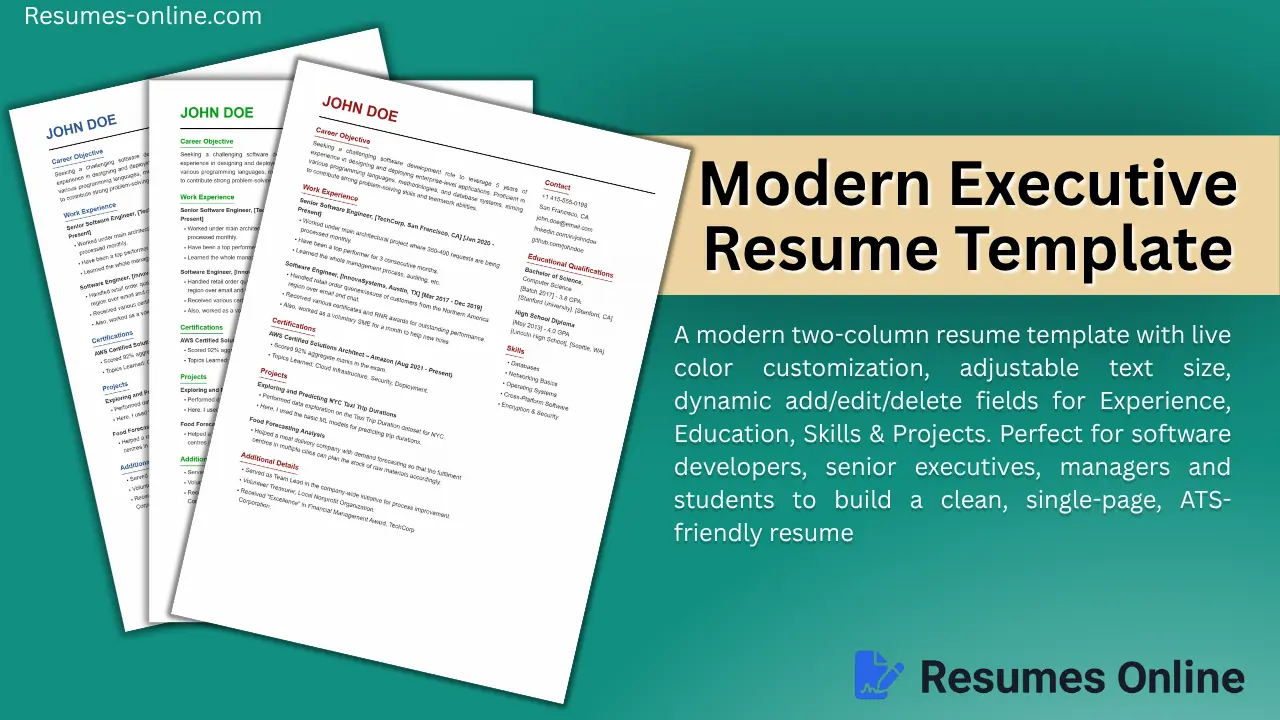
This template name is "Modern Executive Resume Template" because its design combines a smart two-column layout with dynamic customization features, making it a perfect fit for both modern professionals and executives.
Who should use this template, and for whom is it perfect?
| Profession Type | Why is it suitable? |
|---|---|
| Software Developers / Tech Professionals | Because of dynamic fields, skills, projects, and GitHub/LinkedIn links are added easily. |
| Senior Executives & Managers | Colour customization (sober themes like dark blue/grey) gives a professional branding. |
| Freshers & Students | Even with little content, the page fills up nicely using the text-size and vertical spacing sliders. |
| Creative Professionals | You can add your personal touch through heading and text colour customizations. |
| Multi-Skill Candidates | Certifications + Projects + Additional Details — flexibility to organize everything into separate sections |
| Small-town / Semi-urban Job Applications | This format is "safer" and more widely accepted, even in conservative regions where modern, creative rims are not expected. |
Best Use Case: The best part about this resume is that as soon as you fill in the details, it looks completely full and polished, making it the top choice for IT and software roles, corporate managers, data analysts, fresh graduates, and anyone who wants to fit their resume perfectly onto a single page.
Modern Executive Resume Template Key Features
You will find all these features in this Traditional Fresher Resume Template, as follows:
- Clean Multi Colour Theme — Print-friendly, ATS-compatible, and simple.
- Simple & Multi Colour Text — It is purely text-based, ensuring clear printing on any printer (multi colour friendly).
- Career Objective Section — When you lack experience, writing an "objective" is standard practice and a better option.
- Academic + Technical Qualification — Education and training/certifications are kept clearly separate, which makes it simple and better.
- Personal Details Section — A feature often missing from other templates but included here, allowing you to customize it as needed.
- Colour Customization - Two distinct colour pickers: one for 'Heading/Name Color and another for 'Main Text Colour'.
- Easy to Edit - No complex table/grid or fix column detail structure and easy to editable. simple Word document like structure
- Vertical Spacing Control - Vertical Spacing Control — Automatically adjust the gap between sections to avoid empty space at the end of the page.
- A4 Print-Ready Format — Perfectly sized for direct PDF export or printing.
- Fully Responsive — Looks great on mobile previews and includes zoom-in/zoom-out functionality.
How to use a Traditional Fresher Resume Template for your resume (the process of creating the final resume)
- Name & Header — Enter your name as a bold heading (e.g., "JOHN DOE" style)
- Career Objective — Write your career goal in 2–3 lines (if experienced, you can also include a "Professional Summary")
- Work Experience — Include company name, role, and dates, plus 2–3 bullet points on achievements (using numbers, e.g., "350–400 requests processed monthly")
- Certifications — If you hold any certifications (AWS, Google, Microsoft, etc.), list them along with the date range and score/topics covered
- Projects — If you have a technical background, describe relevant projects in 2 lines
- Fill in the Right Sidebar:
- Contact (Phone, Email, LinkedIn, GitHub, Location)
- Educational Qualifications (Degree, University, GPA, Year)
- Skills (Bullet list; include 4–6 relevant skills)
- Additional Details — Mention leadership roles, volunteering, and awards here
- Customize — Choose your preferred theme color using the color picker, and adjust the text size/spacing slider to ensure the content fits perfectly onto a single page